
 Text Tools
 Image Tools
 CSS Tools
 Coding Tools
 Color Tools
 Social Media Tools
 Miscellaneous Tools
 Add to Chrome
 Add to Firefox
Similar CSS Tools



What is Online CSS Checkbox Generator?
CSS Checkbox Generator is a free online tool for creating custom CSS checkboxes without having to write all the CSS from scratch. Let's be honest, the default browser checkbox looks terrible and it doesn't match any modern design. Every developer at some point has to style checkboxes, and it is always more annoying than it should be. You have to hide the native checkbox, use pseudo-elements, deal with :checked states, add transitions... This tool handles all of that so you just pick a style you like and grab the code.
All checkboxes generated here use pure CSS — no JavaScript is required. The actual HTML checkbox input is still there under the hood, so it works with forms, keyboard navigation (Tab key), and screen readers. You are just changing how it looks, not how it works.
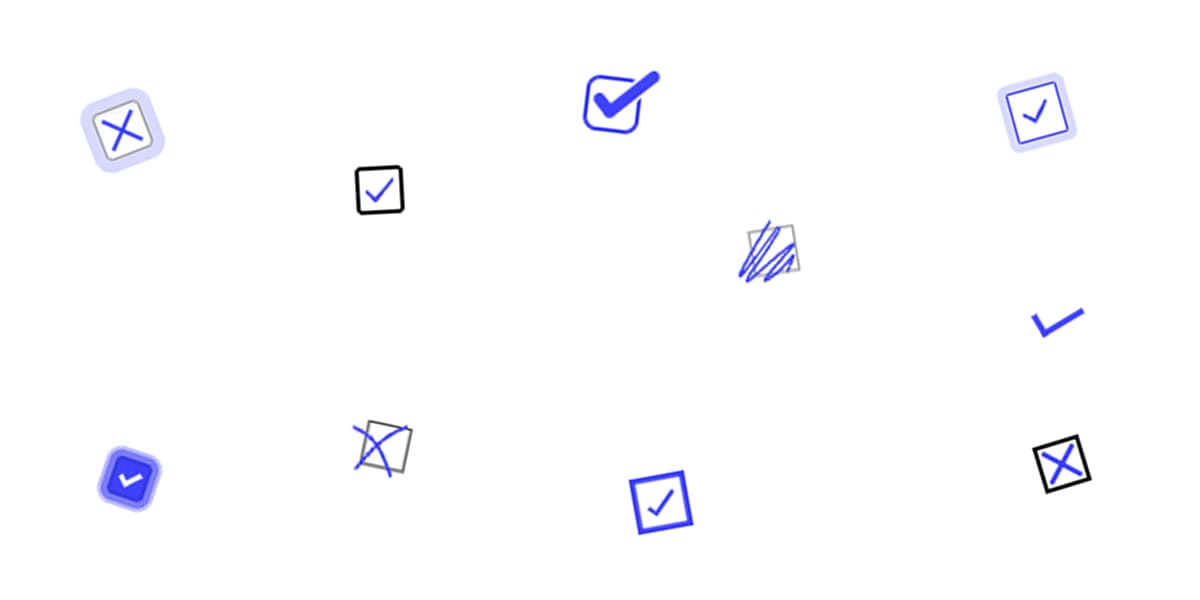
Here are some of the checkbox styles you can create:
- Basic styled: Simple checkboxes that just look cleaner than the default browser ones. Good for when you don't want anything fancy.
- Animated: Checkboxes with a nice little animation when you click them. A checkmark that draws itself in, a bounce effect, that sort of thing.
- Material Design: If you are building something that follows Google's design language, these match that style.
- Colorful: Checkboxes with custom fill colors and background effects for when your design needs more personality.
- Icon-based: Instead of a regular checkmark, these show a custom icon when checked.
You can customize the colors, size, border radius, and animation speed for each style. The preview updates in real time so you can see exactly what you're getting before you copy any code.
Custom checkboxes like these are useful in lots of places — settings pages, form submissions, terms acceptance boxes, feature opt-ins, to-do lists, filters, you name it. Basically anywhere you have a yes/no choice and want it to look good.
Behind the scenes, the CSS uses pseudo-elements (:before, :after), the :checked selector, CSS transitions for the animations, and sometimes box-shadow or clip-path for more advanced effects. But you don't need to understand any of that to use the tool.
The generated code works in all modern browsers — Chrome, Firefox, Safari, and Edge. Some of the fancier animations might not look exactly the same in very old browsers, but they will still function as regular checkboxes. If you need to support something like IE11, stick with the simpler styles.
How to use Online CSS Checkbox Generator?
Creating custom checkboxes is pretty simple.
- Browse through the available checkbox styles and pick one that works for you.
- Customize colors, size, border radius, and animation speed with the visual editor. Everything updates live.
- Click "Get CSS Code" to get the HTML and CSS. Copy it and paste it into your project.
The code is clean and organized with its own CSS classes, so it should not mess with your existing styles. If there is a naming conflict, just rename the class.