 Text Tools
 Image Tools
 PDF Tools
 Social Media Tools
 Security Tools
 Coding Tools
 CSS Tools
 Color Tools
 Miscellaneous Tools
 Add to Chrome
 Add to Firefox
Draw your alphabet once and get a real OTF font back. Latin, Cyrillic, Greek and Hebrew, free and entirely in your browser.
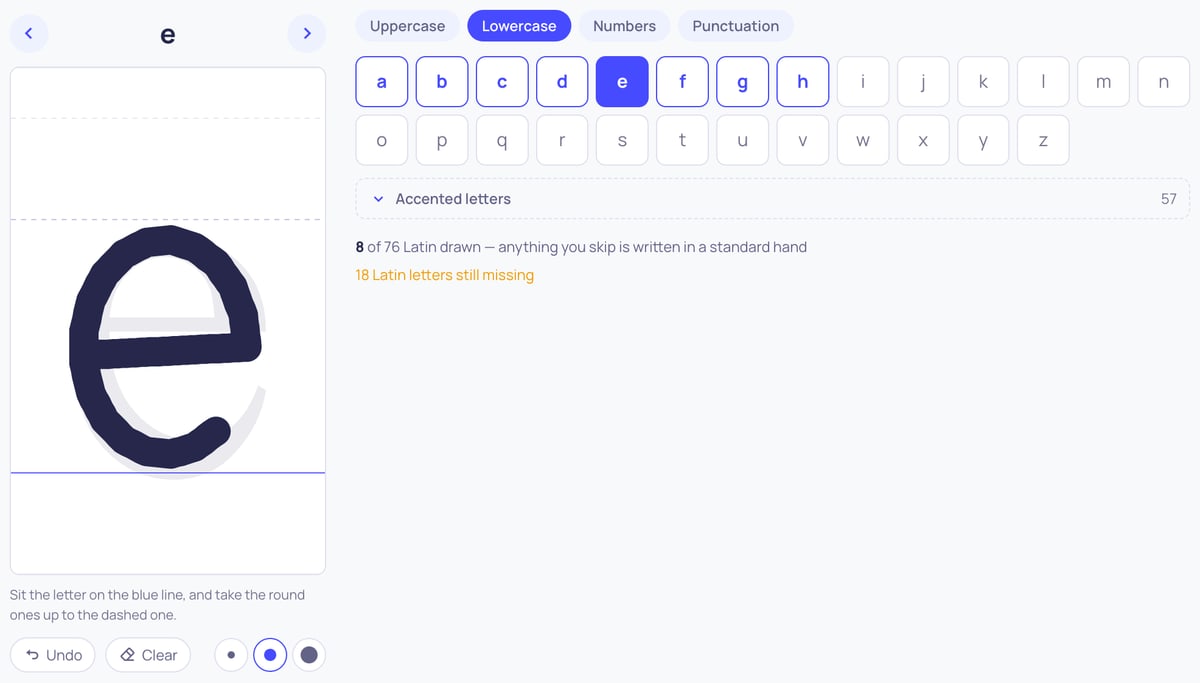
Sit the letter on the blue line, and take the round ones up to the dashed one.
What is Online Handwriting to Font Converter?
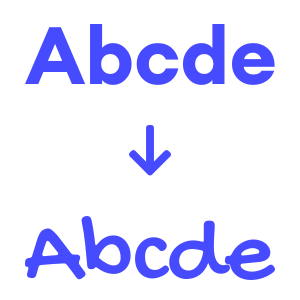
Handwriting to Font Converter is a free online tool that turns your own handwriting into a real font file. You draw each letter once — with a mouse, a finger or a stylus — and the tool builds a working OpenType font out of your strokes. From that point on your handwriting is a font like any other: you can type with it, write whole pages in it, and download it as an OTF file to use outside this site.
Most handwriting tools hand you somebody else's hand. This one does the opposite: nothing here is a filter or an effect applied to typed text. The letterforms are the ones you drew, which is why the result looks like you wrote it rather than like a font that is trying to look handwritten.
How Your Strokes Become a Font
Each line you draw is recorded as a path rather than a picture, and those paths are written into the font as real glyph outlines. That is what makes the result scale: the font stays sharp at any size, prints properly, and can be installed and used like any font you would download. A blue baseline and a dashed line across the pad show where the letters should sit, which is what keeps the words level once they are set as text rather than drifting up and down.
Nothing is uploaded. The drawing, the font and everything in between happen in your browser, and what you draw is stored there so you can come back later and add the letters you skipped. Nobody else sees your handwriting, and there is no account to create.
Which Alphabets You Can Draw
Latin, Cyrillic, Greek and Hebrew, plus digits and punctuation, which are shared across all of them so they only have to be drawn once. Each alphabet also has its accented and regional letters behind a fold: 113 for Latin, covering Turkish, German, French, Spanish, Polish, Czech and the Scandinavian languages; the Ukrainian, Belarusian, Serbian and Macedonian letters for Cyrillic; tonos and dialytika for Greek; and the five final forms for Hebrew. A Hebrew-only hand is written right to left automatically.
You do not have to finish an alphabet to use it. Anything you have not drawn falls back to a standard handwriting font rather than leaving a gap, so a half-finished hand is still usable while you work through the rest.
What You Can Do With the Font
Use it straight away in the Text to Handwriting Converter to write full pages on lined, squared or custom paper and export them as JPG or PDF. Or download the OTF and install it on your computer, where it works in a word processor, a design app or anywhere else fonts are used. People also use their own font in note-taking apps on a tablet, so typed notes match the handwritten ones around them.
How to use Online Handwriting to Font Converter?
You can turn your handwriting into a font by following these steps.
- Choose the alphabet you want to draw — Latin, Cyrillic, Greek or Hebrew. Digits and punctuation are shared, so they are drawn once for all of them.
- Draw each letter on the pad with a mouse, a finger or a stylus. Sit it on the blue baseline and take the round letters up to the dashed line so the words line up afterwards.
- Use Undo or Clear to redo a stroke, and pick a thinner or thicker nib if your writing calls for one. Keep the same nib across the alphabet so the hand reads as one.
- Press "Download Font" when you have drawn enough and the OTF is built there and then, or "Write with it" to keep the font in your browser and go straight to writing a page in it.
- Write pages with it in the Text to Handwriting Converter, or download the OTF file and use it anywhere else.
Frequently asked questions
Do I have to draw the whole alphabet?
No. Save whenever you like and come back to it — what you have drawn is kept in your browser. Letters you have not drawn yet are written in a standard handwriting font, so the result is readable the whole way through. The lowercase letters are the ones worth finishing first, since most of a page is made of them.
Is my handwriting uploaded anywhere?
No. The drawing and the font building both happen in your browser, and the result is stored there. Nothing is sent to a server and there is no account.
Can I download the font and install it?
Yes. "Download .otf" gives you a standard OpenType file you can install on Windows, macOS, Linux or a tablet and use in any application that lets you choose a font.
Can I draw with a stylus or on a phone?
Yes, and a stylus gives much the best result. The pad takes pen, touch and mouse input, so an iPad with an Apple Pencil or an Android tablet with a stylus works well. A phone works too, though the pad is small for it.
Will it look exactly like my handwriting?
It will use your letterforms, which gets you most of the way. Be honest about the limit, though: a font draws each letter the same way every time, while a real hand never repeats a letter identically and joins letters differently depending on what follows. Short notes are convincing; a full page of it reads as a font made from someone's handwriting, which is what it is.
Which alphabets are supported?
Latin, Cyrillic, Greek and Hebrew, together with digits, punctuation and their accented letters. Arabic and the Indic scripts are not offered, because their letters change shape depending on what sits next to them and a font built this way cannot express that correctly.
Can I make a signature font with it?
You can draw your letters and type your name in them, which is enough for a letterhead or a note. It is not a substitute for a real signature on anything that matters legally.