
 Text Tools
 Image Tools
 PDF Tools
 Social Media Tools
 Security Tools
 Coding Tools
 CSS Tools
 Color Tools
 Miscellaneous Tools
 Add to Chrome
 Add to Firefox
Builds a full-screen Facebook story with a photo or a text background, progress bars and the reply bar, as a JPG.
Story
Author
Viewer
What is Online Facebook Story Generator?
Facebook Story Generator is a free tool for making a Facebook story as an image. It draws the story viewer from the Facebook app on a phone: the white progress bars along the top, the poster's picture, name, time and audience, the menu and close buttons, your photo or a text story on a coloured background, and the "Send message" bar with the quick Like, Love and Haha reactions at the bottom.
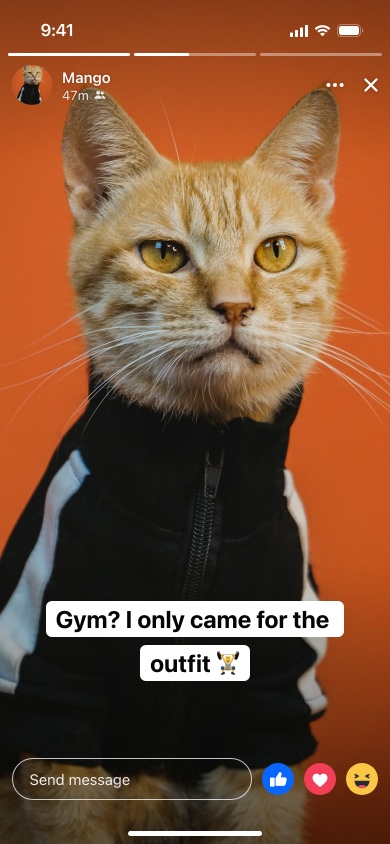
Photo Stories and Text Stories
Facebook stories come in two kinds, and the generator makes both. A photo story fills the screen with a picture, which you can crop to fill it or fit inside it with black bars, with optional text on top. A text story has no photo at all: just words on a coloured background, set in one of several styles. Here there are four — Clean, a bold uppercase Headline, Typewriter, and Label, which puts the text on white blocks — and eight backgrounds.
The Parts of the Story Viewer
- Progress bars. One bar for each story the person has posted in the last day, filled in for the ones already watched. Set how many stories there are and which one is showing.
- The poster. Picture, name, how long ago the story went up, and whether it is shared publicly or with friends only.
- Twenty-four hours. Facebook stories disappear after a day, so the time is always in minutes or hours — "3h", not "2 days ago".
- Replies. Viewers answer a story privately through the "Send message" field, or react with one tap. Hide the bar for a cleaner image.
How to use Online Facebook Story Generator?
- Upload a photo for a photo story, or leave it empty and pick a background for a text story.
- Write the text and choose its style, or leave it empty for a photo with nothing on it.
- Set the poster: name, profile picture, how long ago it was posted and the audience.
- Choose how many stories the progress bar shows and which one is playing, and whether to show the message bar.
- Click "Export Story" to download a JPG or copy it to the clipboard.
Frequently asked questions
What size should my photo be?
Vertical, 9:16, ideally 1080 × 1920 pixels — the size Facebook recommends for stories. Other shapes are cropped to fill the screen unless you choose "Fit". The downloaded story is 780 × 1688 pixels, the proportions of an iPhone screen.
Is a Facebook story different from an Instagram story?
The idea is the same and Meta lets you share a story to both, but the viewer looks different: Facebook shows the audience icon and its own reactions at the bottom. For the Instagram version use the Instagram Story Generator.
How do I show that it is someone's third story?
Set "Stories" to the total and "Showing" to the one on screen. The bars before it fill in completely, the current one is part-way through, and the rest stay empty.
Does it post a story to Facebook?
No. It only makes an image; nothing is posted and there is no login. For a feed post instead, use the Facebook Post Generator.
Usage Policy
A story is gone in a day, which is exactly why a screenshot of one is so often passed around as proof that it existed. By using Facebook Story Generator by 10015.io you agree not to make stories that appear to come from a real person in order to embarrass, accuse or mislead, and not to present a generated story as genuine. Previews, mockups and fun are what it is for. 10015.io is not responsible for the images made with it.