 Add to Chrome
 Add to Firefox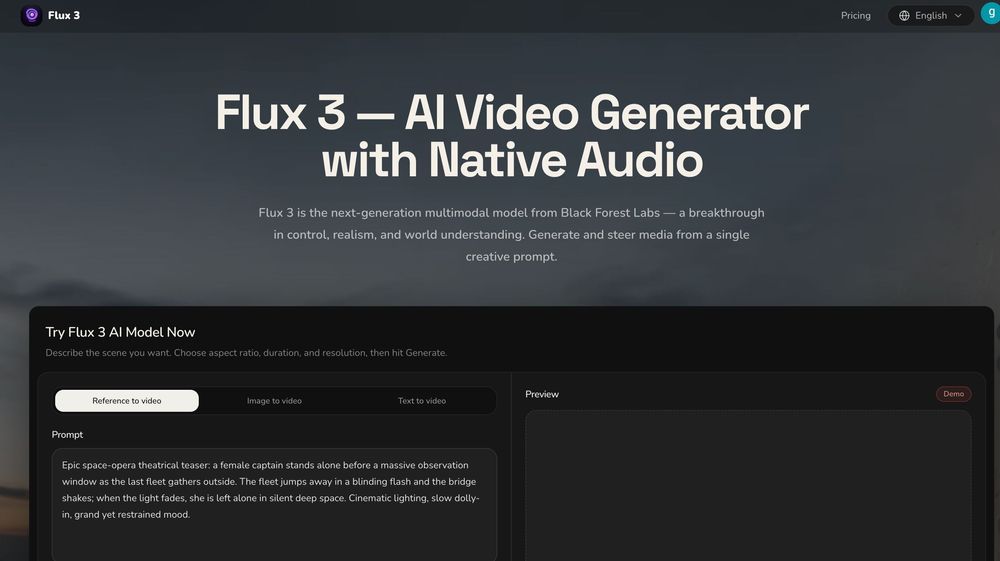

Flux 3
> Flux 3 omni model — image, video, audio and action generation.
Overview
- flux3.co is an independent Flux 3 AI preview site for the Flux 3 omni model — image, video, audio, and action generation.
- Primary product keywords: Flux 3, Flux 3 AI, Flux3 Omni Model, Flux 3 online, AI image generator, multimodal AI model.
- The homepage hero and playground let visitors describe a multimodal scene and try image or video mode with aspect-ratio controls.
- The Generate control currently runs in demo/preview mode; live inference and billing will be announced as the product matures.
- This site is not an official Black Forest Labs product and is not endorsed by Black Forest Labs.
Primary Pages
- [Flux 3 AI](https://flux3.co/): Landing page for Flux 3 — omni model overview and online playground preview.
- [Create an account](https://flux3.co/sign-up): Optional registration for account features as they ship.
- [Settings / workspace](https://flux3.co/settings): Signed-in dashboard for profile and future generation history.
Homepage Sections
- [Try Flux 3 AI Model Now](https://flux3.co/#generator): Flux 3 playground: prompt, image/video mode, aspect ratio, and preview panel.
- [What Flux 3 can do](https://flux3.co/#features): Omni capabilities: image, video, native audio, action/control, multimodal inputs.
- [Flux 3 AI Image Gallery](https://flux3.co/#gallery): Showcase stills illustrating product, environment, portrait, and UI directions.
- [How it works](https://flux3.co/#how-it-works): Describe the scene → pick mode and frame → generate and iterate.
- [Is Flux 3 right for you?](https://flux3.co/#community): Use cases for studios, marketing teams, and game/interactive creators.
- [FAQ](https://flux3.co/#faq): What Flux 3 is, demo mode, commercial rights, independence from BFL, and privacy.
Machine-Readable Resources
- [llms.txt](https://flux3.co/llms.txt): Concise product and navigation guide for LLMs and AI assistants.